Pages

Showing posts with label No-Tech. Show all posts

Wednesday, March 27, 2019

#ATAwarenessDay

In honor of #ATAwarenessDay, I felt it was important to take a step back to review the basics of what assistive technology is, the types/categories of technologies available, frameworks, feature matching of tools, as well as some of the important steps to follow during the selection process. Whether you're new to the field of assistive technology or more seasoned, take a peek into each of these areas. Please feel free to comment below if you have any other information you feel should be included or would like to see more of. To learn more about #ATAwarenessDay follow the hashtag on Twitter and read about Senate Resolution 103

Visit some links and previous Where It'AT blog posts...


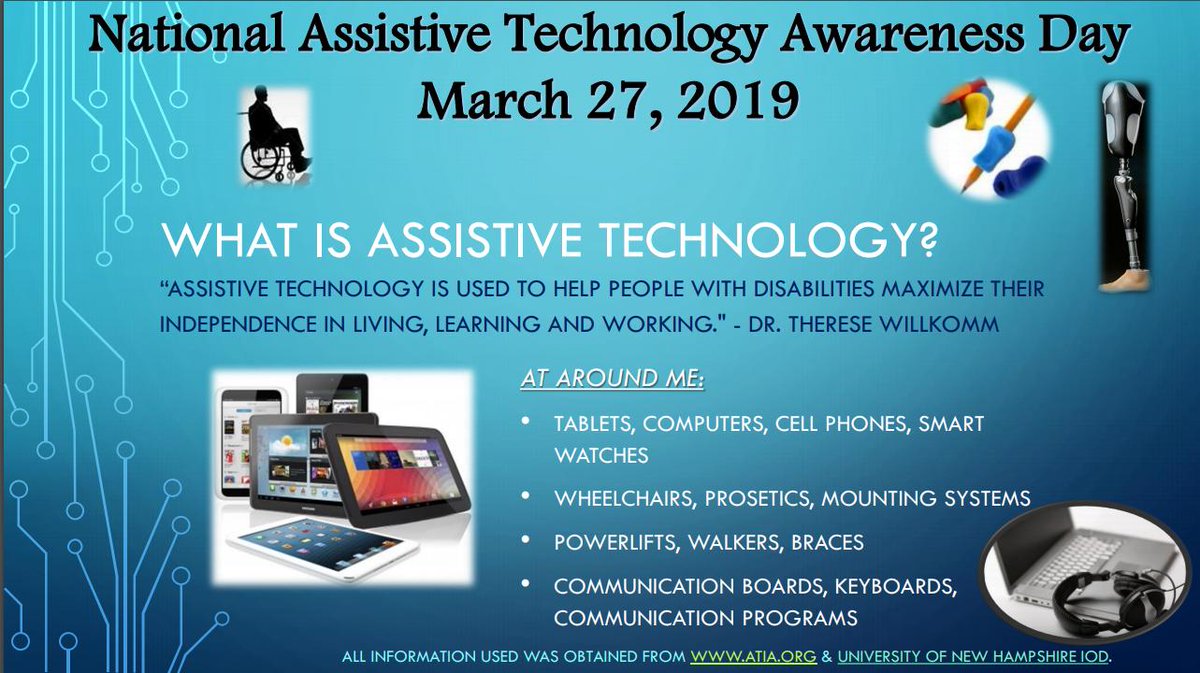
Description of what assistive technology is and examples with pictures of pencil grips, a computer and headphones, tablets, and a wheel chair.

Thursday, September 28, 2017

Back to the AT Basics: From High to Low to No Tech Tools


The purpose of assistive technology is to remove or reduce the effects of functional limitations. When discussing AT tools to meet the needs of individuals, often times conversations and determinations center on the most expensive, most complex, or most recent technologies. 

As stated in Visual Supports for People with Autism, "The use of high-tech devices and software to support individuals with disabilities is certainly not a silver bullet, and it is important to understand the specific needs and strengths of each individual before making any decisions. A good rule of thumb is “just because something is new, doesn’t mean it is the best choice.” While some individuals may benefit from the use of handheld computers or other mobile devices, others may benefit from more traditional, low-tech visual supports or a combination of the two."

A critical component of the AT process is the matching an individual’s strengths, needs, and preferences with the most appropriate software or hardware, referred to as Feature Matching. As shared in a latter post, a comprehensive feature matching assessment such as the SETT Framework (Student, Environment, Tasks, Tools) (Zabala, 2005) should explore both the needs of the individual along with how and where the tools will be used.

The determination between high tech and low tech options depends on the individual and their abilities. It is essential to remember one size does not fit all. Ultimately, the determination for the technology should be based upon and meet the needs of the individual, never that the individual's needs meet the requirement for the technologies. 

The chart below provides some examples of high to low to no tech adaptive solutions available to individuals in need of AT. If you are seeking a more comprehensive list of high to low tech tools, visit the Assistive Technology Continuum of Low to High Tech Tools list created by the Boston Public Schools' Access Technology Center (ATC). Additionally, Glenda's Assistive Technology blog offers tools sorted by specific disabilities. 


Sources: Visual Supports for People with Autism; Joy Zabala; Glenda's Assistive Technology Blog; Assistive Technology Continuum of Low to High Tech

Friday, August 5, 2016

5 Low-Tech AT Options

Article and infographic created by Brookes Publishing Company 
 
Exploring assistive technology options for students who need help with communication skills can seem overwhelming, especially when you think of AT as synonymous with expensive equipment and sophisticated software. But not all AT has to be high-tech—in fact, you can often make your own creative communication supports with little to no expense and materials you already have (or can easily get).
Today’s infographic gives you five examples of low-cost, low-tech options—from activity boards to laminated icon cards—for students who need help with their communication skills. These ideas were adapted from the book Assistive Technology for Young Children: Creating Inclusive Learning Environments, by Kathleen Curry Sadao & Nancy B. Robinson.
Do you use any of these in your classroom? Have you created any other low-tech supports for your students? Share your favorite communication supports in the comments below!

Click the infographic to view it full-size


Click here to access the original article written by Brooke's Publishing Co.