What does writing look like for students with dysgraphia? How can educators and parents help to better support students with writing difficulties? There are many things to consider when helping our struggling writers to improve outcomes and build confidence. Students who struggle with writing may have poor fine motor skills, messy or slow handwriting, lack of attention to tasks, poor spelling, and difficulty getting ideas down on paper. Is it Dysgraphia? View this on-demand webinar from Don Johnston to learn how to use accessible technology to better support students with IEPs who have Dysgraphia or other writing challenges. Broaden your understanding of dysgraphia, learn how Co:Writer Word Prediction, Translation, and Speech-to-Text remove barriers to writing and sign up for the webinar to request an easy, 5-minute Writing Accommodation Screening Tool.
Source: Dysgraphia 5 Minute Screening for Writing Accommodations from DonJohnstonInc
Showing posts with label High-Tech. Show all posts
Wednesday, January 8, 2020
Wednesday, March 27, 2019
#ATAwarenessDay
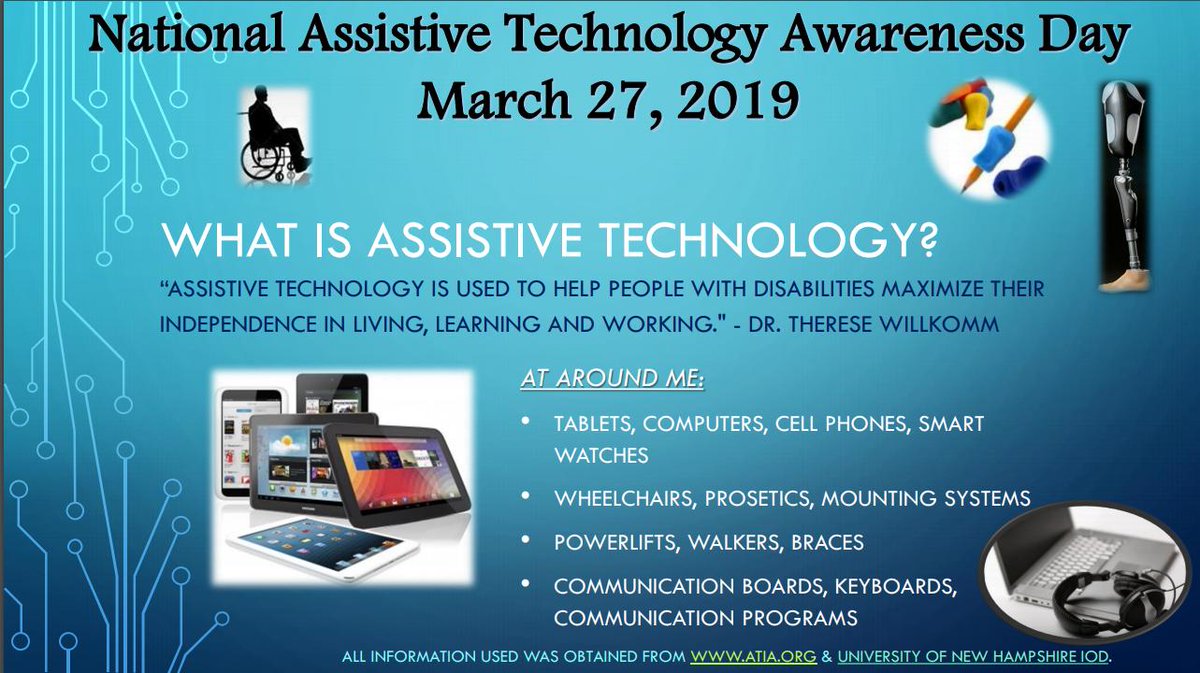
In honor of #ATAwarenessDay, I felt it was important to take a step back to review the basics of what assistive technology is, the types/categories of technologies available, frameworks, feature matching of tools, as well as some of the important steps to follow during the selection process. Whether you're new to the field of assistive technology or more seasoned, take a peek into each of these areas. Please feel free to comment below if you have any other information you feel should be included or would like to see more of. To learn more about #ATAwarenessDay follow the hashtag on Twitter and read about Senate Resolution 103.
Visit some links and previous Where It's AT blog posts...
- Getting Started....What is Assistive Technology?
- Intro to Assistive Technology from the CTD
- Assistive Technology Checklist: What to Consider When Looking at AT
- Assistive Technology: What It Is and How It Works
- The QIAT Top 10
- Assistive Technology (AT) to Support Students with Special Needs
- 5 Low-Tech AT Options
- From High to Low to No Tech Tools
- The SETT Framework
- CTD's Assistive Technology Module

Labels:
#ATAwarenessDay,
Assistive Technology,
AT,
AT Resources,
AT Tools,
High-Tech,
Low-Tech,
No-Tech,
SETT,
What is AT
Wednesday, February 13, 2019
CTD's Assistive Technology Module
New to the field of assistive technology or looking to gain more insight? Then look no further. The incredible folks at CTD have done it again, this time providing the ultimate resource in Assistive Technology. Their training module includes guides, reference charts, vidoes and webinars. Be sure to read below and click on the hyperlinks to explore each module and resource further.
ASSISTIVE TECHNOLOGY MODULE
|
|
ASSISTIVE TECHNOLOGY MODULE
FOR PERSONNEL PREPARATION PROGRAMS
THE IMPORTANCE OF ASSISTIVE TECHNOLOGY TO STUDENTS WITH DISABILITIES: LEVELING THE PLAYING FIELD
There are more than 6.7 million students ages 3–21 who receive special education services. That represents 13 percent of all public school students. That number does not include the additional millions with undiagnosed disabilities and/or those with diagnoses who do not receive formal special education services. It also does not include students in private schools. A small percentage of these students currently have access to assistive technology (AT). A far greater number would benefit from AT if it were made available to them.
In the past, the term “assistive technology” referred to a limited range of specialized, often expensive items that were designed to help students with relatively severe disabilities perform tasks that they could not otherwise do. In recent years, developments in technology have changed all that. Assistive technology now refers to a wide range of devices, software, apps, and services that are widely available at lower cost. Many items that you might not think of as AT, are. They can be as basic as a magnifying glass or as complex as a robot. They range from no-tech, do-it-yourself items to programmable software programs that can be readily customized by a teacher, therapist, or parent.
If an item allows a student with disabilities to perform a task that he or she could not do otherwise, it can be considered assistive technology. That makes it subject to the laws governing public education, such as the Individuals with Disabilities Education Act (IDEA).
Whether you choose to teach in a public or private school, in a general or special education classroom, you will almost certainly have students in your class with a range of abilities and disabilities. Some of those students will have Individualized Education Plans (IEPs), some will not. Both groups, however, will benefit greatly from your knowledge of assistive technology devices and services.
The materials in this module, will help you:
- Understand the basic concepts underlying the use of assistive technology
- Become familiar with the words and terms associated with AT
- Understand your role as a teacher in helping to identify and integrate the use of appropriate AT in your classroom
- Learn about the laws governing AT in public schools
- Participate as a knowledgeable professional in the IEP teams to which you will be assigned
- Become a role model, peer mentor, and school leader in the use of AT
- Change the lives of students with physical, sensory, cognitive, and emotional/behavioral disabilities
TABLE OF CONTENTS
In the past, the term “assistive technology” referred to a limited range of specialized, often expensive items that were designed to help students with relatively severe disabilities perform tasks that they could not otherwise do. In recent years, developments in technology have changed all that. Assistive technology now refers to a wide range of devices, software, apps, and services that are widely available at lower cost. Many items that you might not think of as AT, are. They can be as basic as a magnifying glass or as complex as a robot. They range from no-tech, do-it-yourself items to programmable software programs that can be readily customized by a teacher, therapist, or parent.
If an item allows a student with disabilities to perform a task that he or she could not do otherwise, it can be considered assistive technology. That makes it subject to the laws governing public education, such as the Individuals with Disabilities Education Act (IDEA).
Whether you choose to teach in a public or private school, in a general or special education classroom, you will almost certainly have students in your class with a range of abilities and disabilities. Some of those students will have Individualized Education Plans (IEPs), some will not. Both groups, however, will benefit greatly from your knowledge of assistive technology devices and services.
The materials in this module, will help you:

ASSISTIVE TECHNOLOGY 101
AT makes it possible for children with disabilities to take part in life’s activities. It can strengthen developmental, functional, and learning skills. Get started on your AT journey by learning the basics.
DOWNLOAD THE PDF

VIDEOS FROM THE TEACHER PERSPECTIVE
CTD has created a series of videos that we believe will help strengthen your understanding of assistive technology. Each video focuses on AT use in the classroom and reflects the perspectives of teachers.
WATCH THE VIDEOS

AT & THE IEP TIPS FOR TEACHERS
As a teacher, your input is invaluable to the IEP process. These tips will help ensure that your observations about the performance, strengths, & challenges of the student are documented to help them succeed.
DOWNLOAD THE PDF

KEYRING OF ILLUSTRATED AT DEVICES
These keyrings can be used for training & peer support to begin exploring a wide range of AT tools. Examples range from low- to high-tech and span ages and types of support.
DOWNLOAD THE PDF

CTD WEBINARS FOR EDUCATORS
CTD webinars provide an excellent way to hear from AT experts who present at major conferences, who advise state and local education agencies, and who conduct in-service teacher training.
WATCH THE WEBINARS

ASSISTIVE TECHNOLOGY GLOSSARY
It is important to understand the “language” of AT to be an informed advocate for a child’s technology needs. Learn about the kinds of AT that are available and how they can be used.
DOWNLOAD THE PDF
Tuesday, November 20, 2018
A Teacher's View of Assistive Technology
In this 15-minute video, published by the CTD Institute, teachers of students with a range of learning needs discuss the ways in which assistive technology can help. The teachers featured in the video provide examples of low to high-tech tools that are easily integrated into a classroom environment.
Thursday, September 28, 2017
Back to the AT Basics: From High to Low to No Tech Tools
The purpose of assistive technology is to remove or reduce the effects of functional limitations. When discussing AT tools to meet the needs of individuals, often times conversations and determinations center on the most expensive, most complex, or most recent technologies.
As stated in Visual Supports for People with Autism, "The use of high-tech devices and software to support individuals with disabilities is certainly not a silver bullet, and it is important to understand the specific needs and strengths of each individual before making any decisions. A good rule of thumb is “just because something is new, doesn’t mean it is the best choice.” While some individuals may benefit from the use of handheld computers or other mobile devices, others may benefit from more traditional, low-tech visual supports or a combination of the two."
A critical component of the AT process is the matching an individual’s strengths, needs, and preferences with the most appropriate software or hardware, referred to as Feature Matching. As shared in a latter post, a comprehensive feature matching assessment such as the SETT Framework (Student, Environment, Tasks, Tools) (Zabala, 2005) should explore both the needs of the individual along with how and where the tools will be used.
The determination between high tech and low tech options depends on the individual and their abilities. It is essential to remember one size does not fit all. Ultimately, the determination for the technology should be based upon and meet the needs of the individual, never that the individual's needs meet the requirement for the technologies.
The chart below provides some examples of high to low to no tech adaptive solutions available to individuals in need of AT. If you are seeking a more comprehensive list of high to low tech tools, visit the Assistive Technology Continuum of Low to High Tech Tools list created by the Boston Public Schools' Access Technology Center (ATC). Additionally, Glenda's Assistive Technology blog offers tools sorted by specific disabilities.

Labels:
Assistive Technology,
AT,
AT Tools,
Back to Basics,
High-Tech,
Low-Tech,
No-Tech,
SETT
Subscribe to:
Posts (Atom)


